Notice. New forum software under development. It's going to miss a few functions and look a bit ugly for a while, but I'm working on it full time now as the old forum was too unstable. Couple days, all good. If you notice any issues, please contact me.
tgerbic Senior Member Joined: 25/07/2019 Location: United StatesPosts: 123
Posted: 06:41am 30 May 2026
Copy link to clipboard
Print this post
I do not have the hardware right now but hopefully a simple question.
If I boot up a PIC or Pico running MMBasic I will get to the command line. Could I display graphics by just sending immediate commands in sequence to the command line to execute. So in this case I am not actually writing a program and having it render based on commands as usual. I would like to use another program running with another OS to be able to send strings to MMBasic running on a PIC or Pico, such as with an Explore 100 or Picomite card and have the card draw the graphics. Wondering if there is a restriction related to remembering the configuration and not doing something like clearing the screen between commands.
Might seem like an odd question but I think I have an application that could use this. I have never tried this, I would normally write a program to draw some graphics, and don't have hardware immediately available to try this out. If it should work I have some hardware at another location I could get next week.
Touch capability does not have to work, it is just drawing on the LCD.
Thanks
JohnS Guru Joined: 18/11/2011 Location: United KingdomPosts: 4391
Posted: 07:16am 30 May 2026
Copy link to clipboard
Print this post
The usual (?) way would be for that slave PIC/Pico run a small program reading commands from the master and doing the desired graphics (or other) things.
John
robert.rozee Guru Joined: 31/12/2012 Location: New ZealandPosts: 2552
Posted: 07:57am 30 May 2026
Copy link to clipboard
Print this post
i believe that some years back there were one or two forum members doing almost exactly what you describe - they were using an MX170 an an I/O expander that accepted text commands to control pin states, set up PWM signals, query switch states, etc.
i can't be 100% sure, but i also think some were doing the same for graphics commands to draw on an attached LCD screen - this was before the days of driving VGA or DVI.
Geoff and others who were around back then may remember better than me.
cheers, rob :-) Edited 2026-05-30 17:57 by robert.rozee
phil99 Guru Joined: 11/02/2018 Location: AustraliaPosts: 3416
Posted: 08:04am 30 May 2026
Copy link to clipboard
Print this post
On the Pico I think someone did something similar. Had a quick search but didn't find it. Perhaps the slave received commands as serial strings then used Execute to implement them.
Edit Another possibility is Peter wrote a program to emulate a PS/2 keyboard. That could be used to send console commands to another. here Edited 2026-05-30 18:12 by phil99
robert.rozee Guru Joined: 31/12/2012 Location: New ZealandPosts: 2552
Posted: 09:19am 30 May 2026
Copy link to clipboard
Print this post
just configure it to use a serial/RS232 console and send ascii strings directly to that. the MX170 only had a serial console, with no other options. later pic32 based ones supported PS/2 keyboards and onboard USB (although this was of limited usefulness as the MX470 et al had less-than-reliable onboard USB).
cheers, rob :-)
PhenixRising Guru Joined: 07/11/2023 Location: United KingdomPosts: 2100
Posted: 09:44am 30 May 2026
Copy link to clipboard
Print this post
Agreed. The PicoMite + display becomes a MMBasic version of a Nextion HMI
lizby Guru Joined: 17/05/2016 Location: United StatesPosts: 3885
I have a number of applications where one PicoMite talks to another over serial (or some other device uses serial to talk to a PicoMite. It can be a bare PicoMite which just accepts normal commands, or it can run a program to execute an expected set of commands, or, if a line begins with "!", execute the command which follows on the line.
So sending "! pin(GP3)=1" would result in the receiving program doing: EXECUTE "pin(GP3)=1"
It's a really handy way to set pins or variables without having to load a new program.
tgerbic Senior Member Joined: 25/07/2019 Location: United StatesPosts: 123
Posted: 05:30am 31 May 2026
Copy link to clipboard
Print this post
You guys are right. I reflashed an Explore 100 with latest code. Pushed a bunch of config and graphics commands and it draws all kinds of stuff, like a graphics card. I knew the command line works on immediate strings, just was not sure I could stream commands in to make it function like a graphics card.
Now I just need to get a TTL stream to do the same. Does the 3 pin CON6 take a serial stream on reboot? Or does it need to be configured?
Once I get this card working the way I want, I need to fire up a Picomite and try to sort out the same thing but for a VGA or HDMI display. The computer I am hooking to does not have USB and I don't want to have to convert to USB and then convert back. Seems like a waste.
tgerbic Senior Member Joined: 25/07/2019 Location: United StatesPosts: 123
Posted: 05:57am 31 May 2026
Copy link to clipboard
Print this post
It looks like I will ultimately settle on the Picomite because of the HDMI capability. I looked at the reference design to see what is expected for connections.
It looks like the PICO console is just TTL at the board pins. The interface to the USB converter just has the two pins. If that is right, then I would assume the serial speed may be fixed or perhaps there is an MM command that will set it to some standard EIA speed. Is that right or wrong?
phil99 Guru Joined: 11/02/2018 Location: AustraliaPosts: 3416
Posted: 06:34am 31 May 2026
Copy link to clipboard
Print this post
If connecting TTL serial to a computer with RS232 usually requires the signals be inverted. A transistor for each usually works. The MicroMite Plus and MicroMite2 can do the inversion for you, see the MicroMite manual for hardware and setup details. I don't see the inversion option in the PicoMite manual.
If using the "B" parameter serial has priority over USB. Edited 2026-05-31 16:38 by phil99
tgerbic Senior Member Joined: 25/07/2019 Location: United StatesPosts: 123
Posted: 07:31am 31 May 2026
Copy link to clipboard
Print this post
Ok checked it out... After reset, the CON6 serial port is TTL and running at 38.4K. Acts as the console. The pins are 5V tolerant but output is 3.3. So it seems most of my problems are solved. At least I can try a proof of concept with the Explore 100.
The PICO 2 TX/RX pins are not 5V tolerant so I need level shifters, at least inward and I need to test an actual board as proof of concept.
tgerbic Senior Member Joined: 25/07/2019 Location: United StatesPosts: 123
Posted: 07:40am 31 May 2026
Copy link to clipboard
Print this post
I don't intend to use RS232 levels. Straight from the UART to the PIC/PICO. I am trying to reduce the amount of circuitry and work down to almost nothing. It appears the LCD driving Micromite Plus chips would be fine if I decide to go that way. Would like to have something much larger than a 7" display, probably closer to 12"+.
If I choose to use HDMI then I need to prove out the Picomite. I only need ttl console, HDMI and sound out. Any other functions would be nice but not necessary. Don't need touch screen. Any of these solutions would be cheap and easy to build and not require any difficult soldering, FPGA or CPLD work, or porting and troubleshooting tons of code. Will need to consider getting any stored setup in place. This just has to power up and run at some higher serial speed.
Thanks
Mixtel90 Guru Joined: 05/10/2019 Location: United KingdomPosts: 9238
Posted: 09:50am 31 May 2026
Copy link to clipboard
Print this post
The Pico 2 GPIO pins probably are 5V tolerant. I haven't checked specifically, but generally they are voltage restricted when the GPIO supply pin (IOVDD) of the RP2350 is at less than 3V3. You could, for example, run the chip with 1V8 GPIO. However, the Pico board sets IOVDD at 3V3 by linking it to VDD. This appears to allow GPIO pads, and therefore probably UART pins, to accept up to 5V.
mozzie Guru Joined: 15/06/2020 Location: AustraliaPosts: 469
Posted: 11:31am 31 May 2026
Copy link to clipboard
Print this post
G'day Tgerbic, If you really want to simplify you can link a PicoMite HDMI USB to another running the normal PicoMite firmware via the USB-CDC link (COM3) and send commands via that
Only a USB lead required, have tried a few different ideas this way and they all work
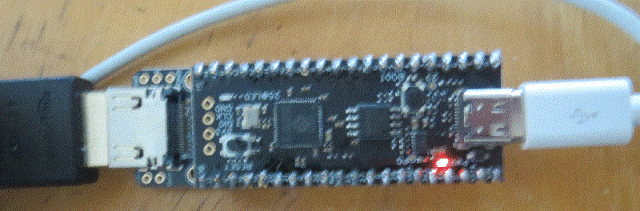
For your application plug a USB-Serial into the PicoMite USB and feed the serial stream into it from the other end.
Regards, Lyle. Edited 2026-05-31 21:36 by mozzie
lizby Guru Joined: 17/05/2016 Location: United StatesPosts: 3885

 Notice. New forum software under development. It's going to miss a few functions and look a bit ugly for a while, but I'm working on it full time now as the old forum was too unstable. Couple days, all good. If you notice any issues, please contact me.

 Print this post