Notice. New forum software under development. It's going to miss a few functions and look a bit ugly for a while, but I'm working on it full time now as the old forum was too unstable. Couple days, all good. If you notice any issues, please contact me.
ville56 Guru Joined: 08/06/2022 Location: AustriaPosts: 646
Posted: 09:20am 10 May 2026
Copy link to clipboard
Print this post
Hi all,
I do constantly get WebMites into a strange disconnected state:
- From the router POV the WebMite is disconnected - the WebMite still has its IP adress - when issuing WEB NTP 1 it gives "WIFI not connected"
this happens from time to time with no clear pattern. My WLAN network is stable so far. Interestingly, there is an old WebMite running V6.00.00.RC9 in the same network which does not have that issue, it just keeps connected.
My network uses a Fritz!Box 7590 as router and also Fritz!Repeater 1200AX with the latest firmware. It makes no difference where the WebMites do connect (Box or Repeater) as far as I found out yet.
The WebMites that do disconnect are currently running WebMite MMBasic RP2350A Edition V6.03.00RC2 WebMite MMBasic RP2040 Edition V6.01.00EXP2 but I also had some release versions in between with the same effect.
My basic question is for a way to discover the connection state from within MMBasic so I can force a CPU RESTART to rectify the situation. Is using the WEB NTP command the only one as I do not have any TCP or UDP connections open.
Gerald 73 de OE1HGA, Gerald
TassyJim Guru Joined: 07/08/2011 Location: AustraliaPosts: 6626
Posted: 10:01am 10 May 2026
Copy link to clipboard
Print this post
The FritzBox has always had problems with the webmite. I have used a few different models and firmware versions and it happens with all. As far as I know, it is the only make of router that has problems.
I spent a lot of time trying to find a solution but no joy. I currently have other brand access points in my network as well as Fritzboxes and my webmites are configured to avoid the Fritz.
Note and use the additional option on the OPTION WIFI (AT for Austria)
Edited 2026-05-11 04:03 by matherp
ville56 Guru Joined: 08/06/2022 Location: AustriaPosts: 646
Posted: 07:15pm 10 May 2026
Copy link to clipboard
Print this post
Peter,
thanks for the new version.
I flashed the attached RC6 and it runs so far without a hitch. Had to reload the program though and did set "AT" as country.
Btw, by chance I did switch off the usage of channel 12 and 13 yesterday but the behavior of the WebMites did not change. Reason was the strange connection behavior of my oldest Fritz Repeater 1160 (the 1160 always connected via an 1200AX but never directly to the router). But I still have internal topology changes without any obvious reason in my network, at least from what the router information says. OTOH some router info is contraditionary, so I'm not sure the changes really happen in the internal network connections or it is just a display problem. Anyway, this should not make any difference for the network nodes connected, not even in the transition phase, if any.
So lets see if the new RC6 changes anything.
Gerald
NB: I've also enabled the settings for "Optimize the security settings for Wi-Fi access for increased compatibility with older wireless devices". That imposes some restrictions on newer features for connections but I do not use them atm. Edited 2026-05-11 05:38 by ville56 73 de OE1HGA, Gerald
Supertech Regular Member Joined: 13/11/2016 Location: AustraliaPosts: 67
Posted: 07:41pm 10 May 2026
Copy link to clipboard
Print this post
First I dont have any Fritz!boxes. I have had very good success in stability of reliable connection 'irrispective of what Webmite is WiFi connected to', or via. Yes it is your equipment at fault, not so much webmite itself, as I have proven on multiple tests of both stock standard W and W2 Pi-Pico's. In fact, 4 at a time, rock steady proven written my own Uptime out at 3 months stable success, no rebooting.
Thus I pose this in your setup:-
Crucial is 'static' IP at your WiFi router!
Try these steps for your Fritz setup.
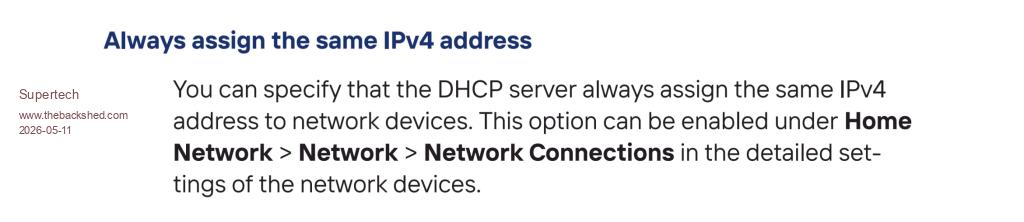
1. Get manual, https://fritz.com/en/pages/service-fritz-box-7590-ax#multicolumn 2. Page 129, manually assign your set IPADDRESS$ into your Fritz!box main router irrespective of extenders on system. If asks reboot, do so.
As stated, this is just suggestion. Regards to All. Supertech
ville56 Guru Joined: 08/06/2022 Location: AustriaPosts: 646
Posted: 04:13am 11 May 2026
Copy link to clipboard
Print this post
Supertech,
thank you for your input, but I'm running that kind of MAC-based "static IP" since long time. What I will try out later is setting an IP address in the Pico itself and assigning that to an "non-DHCP" IP range in the router, so avoiding DHCP at all for the Pico. Will see if that changes anything. 73 de OE1HGA, Gerald

 Notice. New forum software under development. It's going to miss a few functions and look a bit ugly for a while, but I'm working on it full time now as the old forum was too unstable. Couple days, all good. If you notice any issues, please contact me.

 Print this post